When I debuted Webnerd.ai last weekend, the goal was pretty straightforward: bring back the fast, high-signal, human-curated morning reading ritual I loved in the heyday of classic RSS, updated for how the open web actually works in 2026. But just as much as I've enjoyed returning to that routine, I've appreciated steering the roadmap with Antigravity. A decade plus ago, I'd point to companies that blogged weekly with their updates and bug fixes as leaders in their space, communicating to readers what was new. Now, I can make multiple updates daily, or even make fixed in minutes myself -- and have even debuted a release notes section you can subscribe to from right within the app. It's an RSS inception, basically.
Over the last week days of living inside Webnerd.ai whenever possible, curating my shared stream and pushing links out to LG Stream on Bluesky, every "I wish it did this" or "I wonder if it could..." moment has turned into working code rapidly. Sean Goedecke, whose blog has rapidly become one of my favorites of 2026, published a piece today titled "You can just ask AI to do things", and honestly, there is no better summary of the world we live in now. If you can think it, you can build it.
Because things have moved fast since the weekend, here is a quick highlight reel of new features in Webnerd.ai right now.
First-Class Open Identity: AT Protocol OAuth, PDS Sync, and Standard.site
If you're going to build a home for the open web, you shouldn't lock people's reading identity behind a single provider. Current employer aside, I started with Google sign-in because that's what I knew. But in fast response to public request, Sign in with Google now sits side-by-side with native Sign in with AT Protocol. Whether you use a bsky.social address or verify with your own domain like louisgray.com, you can jump straight in without extra modals or app-password gymnastics.
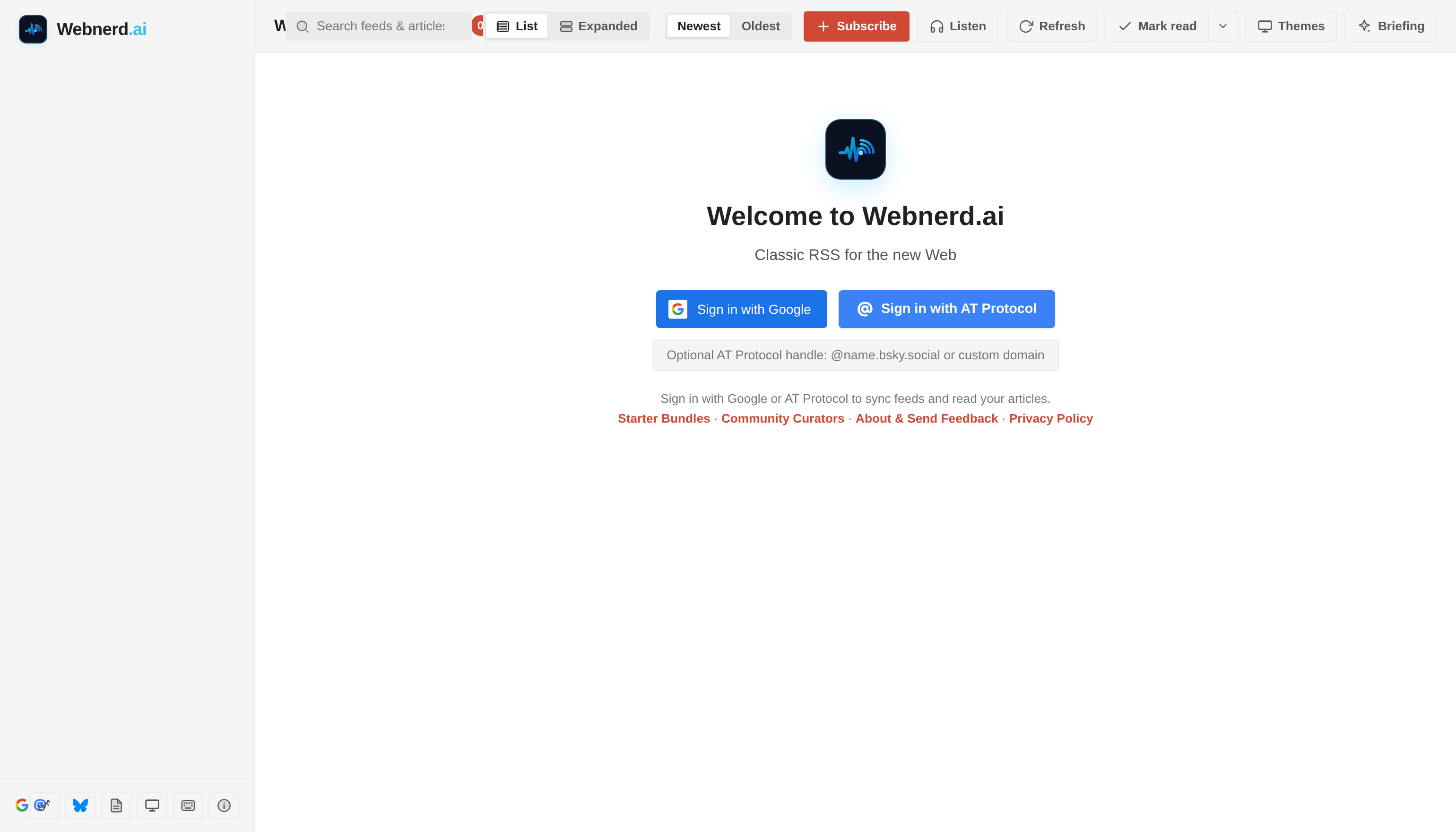
One click with Google, or bring your decentralized AT Protocol ID.
Even better, your decentralized identity isn't just a login badge, it carries your reading graph. Inside the OPML & Subscriptions hub, you can still drag and drop a classic XML file, or you can hit Sync PDS to pull decentralized subscription lists straight from your Personal Data Server across tools like Skyreader, Standard Reader, and Standard.site. Think about that for a second. Am I an expert on those? No. Could I work with Antigravity to build support here? Yes. So I did.
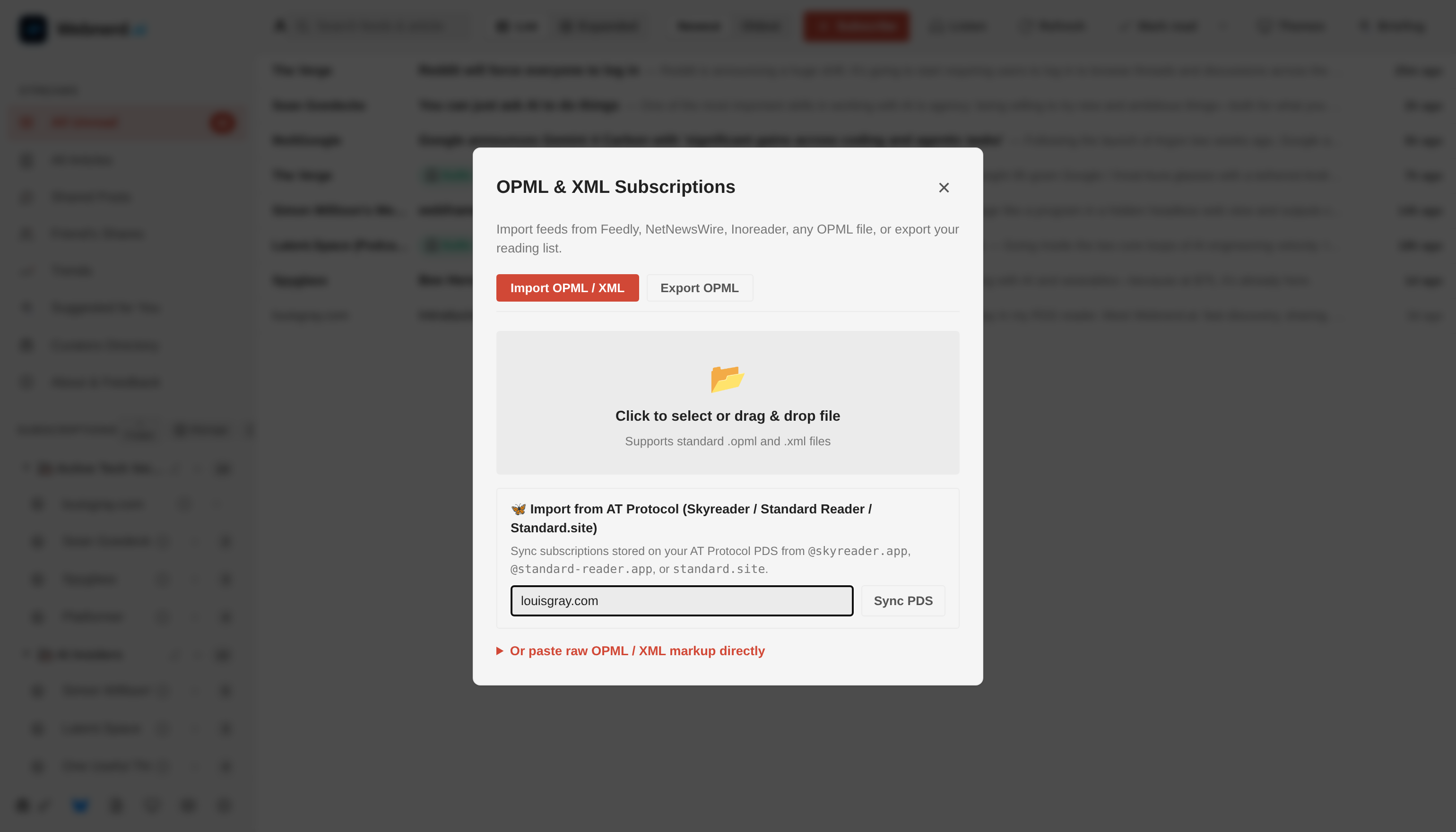
Classic OPML portability meets one-click AT Protocol PDS subscription sync.
Webnerd.ai also now speaks native at:// and standard:domain publications directly in the Subscribe dialog, and when you share a story from a Standard.site publication, Webnerd automatically writes a cryptographic site.standard.graph.recommend endorsement record to your PDS (and cleans it up if you unshare). Open standards work best when apps actually interoperate instead of just talking about it or seeing an acronymn as a checkbox.
Rescuing Newsletters from Inbox Purgatory
As much as I appreciate newsletter platforms like Substack and Beehiiv quietly keeping RSS alive under the hood, plenty of great writers still send email-only newsletters, and in my view, an email inbox sandwiched between flight confirmations, calendar invites, and shipping receipts is not the best place to read long-form writing.
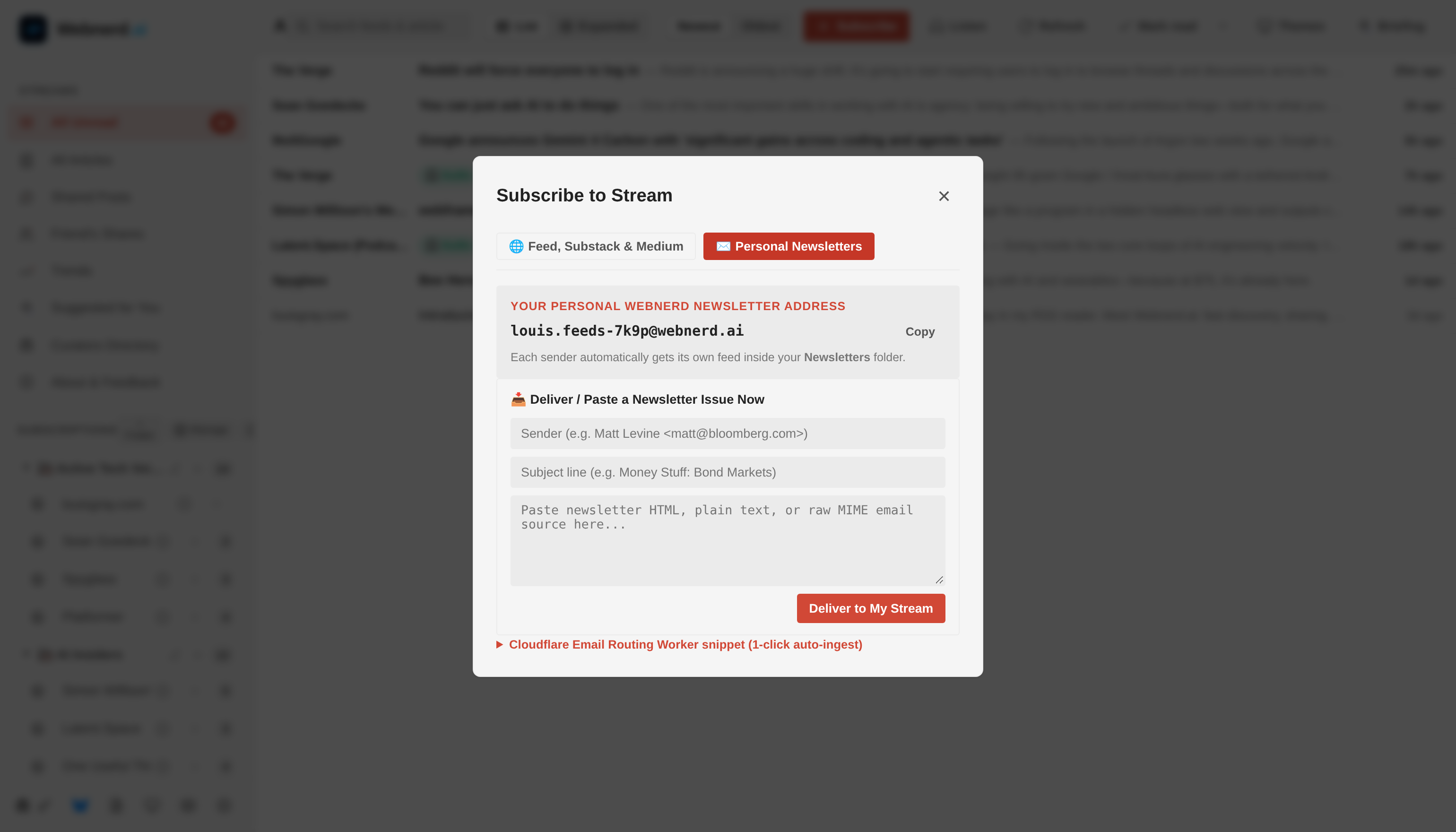
Every account now gets a personal @webnerd.ai newsletter address that turns email dispatches into clean RSS feeds.
You can now open + Subscribe and switch to the new Personal Newsletters tab, and you'll find your own dedicated @webnerd.ai address. Use it when signing up for newsletters (or forward existing ones via Gmail filters or the included one-click Cloudflare Email Routing snippet), and Webnerd automatically spins up a separate, clean feed for each sender inside your Newsletters folder. Newsletters belong alongside the rest of your reading, not competing with work email.
Listening to Your Stream & Real Power-Reader Triage
Sometimes even my eyes need a break from screens, or I want to catch up on my feeds while walking the dog. Hitting the new Listen button in the top bar (or on any individual post) launches a docked audio player right at the bottom of your stream.
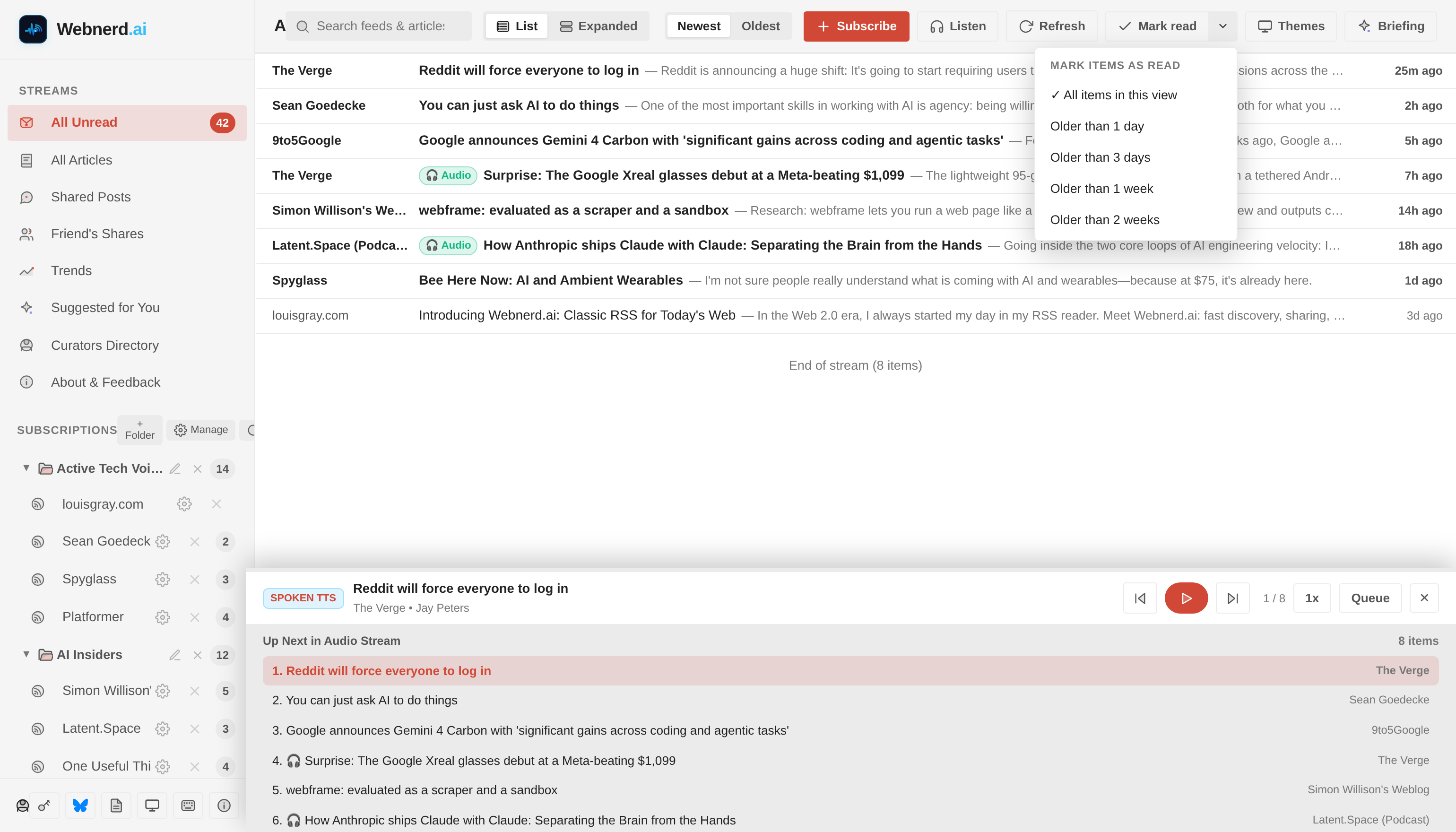
Listening through my morning feeds with the docked Audio & Spoken TTS queue.
If a feed item includes a native podcast or audio enclosure (flagged with an Audio badge), Webnerd plays the original audio directly; if it's a written post, it seamlessly reads the article aloud via a spoken Text-to-Speech queue with 1x to 2x playback speeds, an Up Next drawer, and automatic mark-as-read as each story finishes.
And because anyone subscribing to 100+ feeds may eventually face inbox-style bankruptcy, I've gone deep on power-reader ergonomics:
- Granular Mark-as-Read: A new split dropdown lets you clear items Older than 1 day, 3 days, 1 week, or 2 weeks, or Mark above as read as you scroll — so you can declare peace on Tuesday's news while keeping this morning's stories untouched.
- Folder & Subscription Management: You can now add, rename, drag-and-drop, delete, and merge folders inline or from a dedicated Manage Subscriptions view, toggle Newest / Oldest sort order, and pull Full Text readability views on stub feeds that only publish a sentence or two in XML.
- More Classic Themes: Alongside Cloud Nine, Warm Sepia, and OLED Black, desktop nostalgia nerds can also switch into Mac Classic, Mac OS X Aqua, BeOS, and Green Android.
AI on Your Terms — Never Between You and Your Feeds
I wrote earlier this month about how filtertainment eviscerated our informed monoculture. The whole point of an RSS reader is that you choose the sources, and nobody hides a post because an algorithm decided outrage would keep you scrolling longer.
Where AI does shine in a reader is synthesis on demand — when you explicitly ask for it.
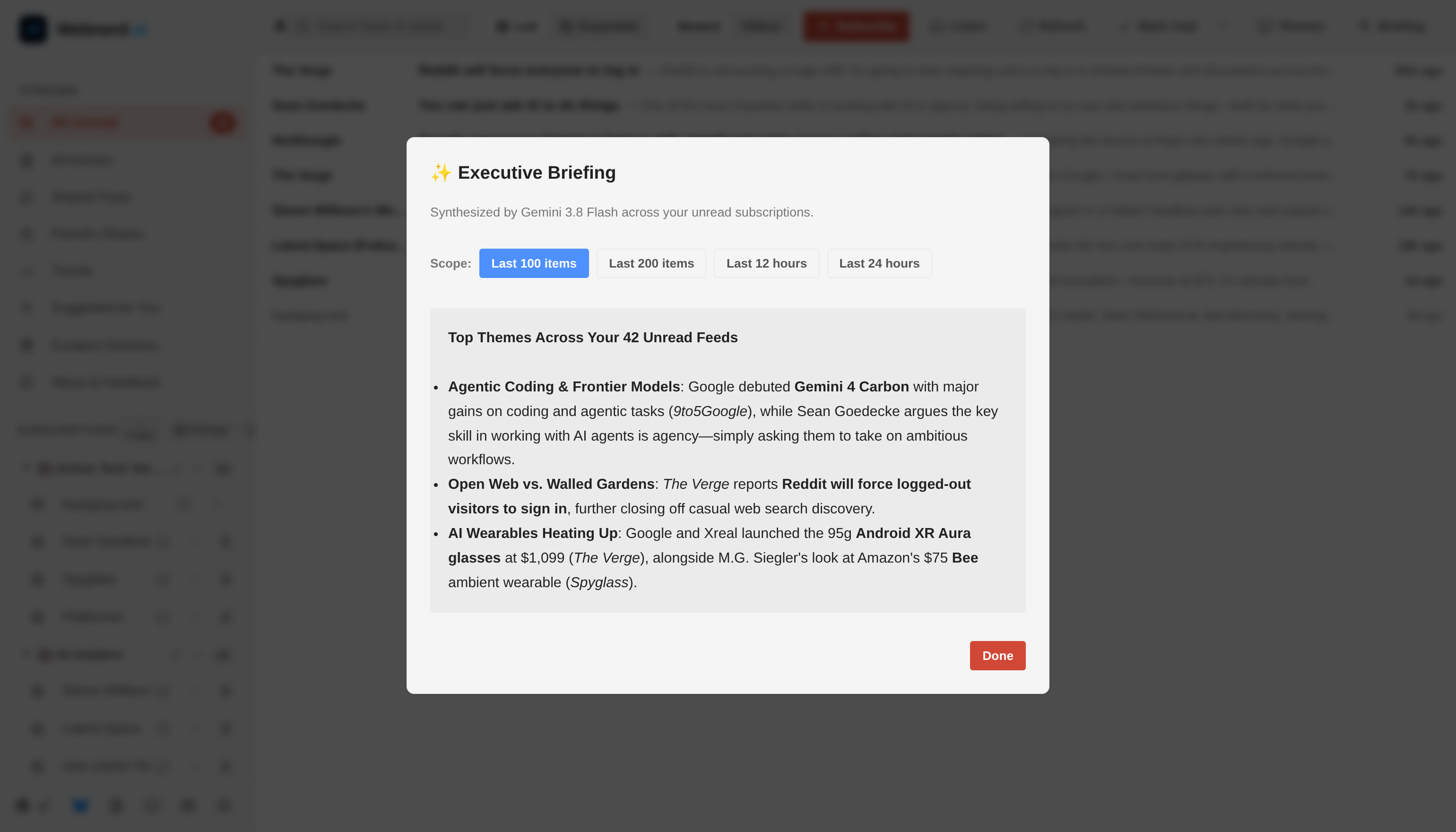
Optional Executive Briefings synthesize what happened across your feeds.
Tap Briefing in the toolbar (or hit B on your keyboard) and Gemini 3.8 Flash synthesizes an executive summary across your unread stream — scoped to your Last 100 items, Last 200 items, Last 12 hours, or Last 24 hours — clustering breaking storylines and citing the exact outlets in your subscriptions. Every expanded card also has an optional one-tap TL;DR button when a 4,000-word essay drops five minutes before your next meeting. AI acts as your research assistant, never your gatekeeper.
Mobile Overhaul, Instant Startup, and Eating Our Own RSS Dogfood
Under the hood, Webnerd.ai now boots through a single-round-trip bootstrap endpoint paired with a local snapshot cache for sub-16ms first-frame paint — so opening the tab feels instantaneous even on spotty mobile Wi-Fi.
On phones, we replaced cramped desktop menus with a thumb-friendly 4-tab mobile layout (Feeds, Search, Shared, and Folders), edge-swipe gestures, and a guided Add to Home Screen full-screen web app setup on iOS while I continue working on a native Android companion app - coming soon.
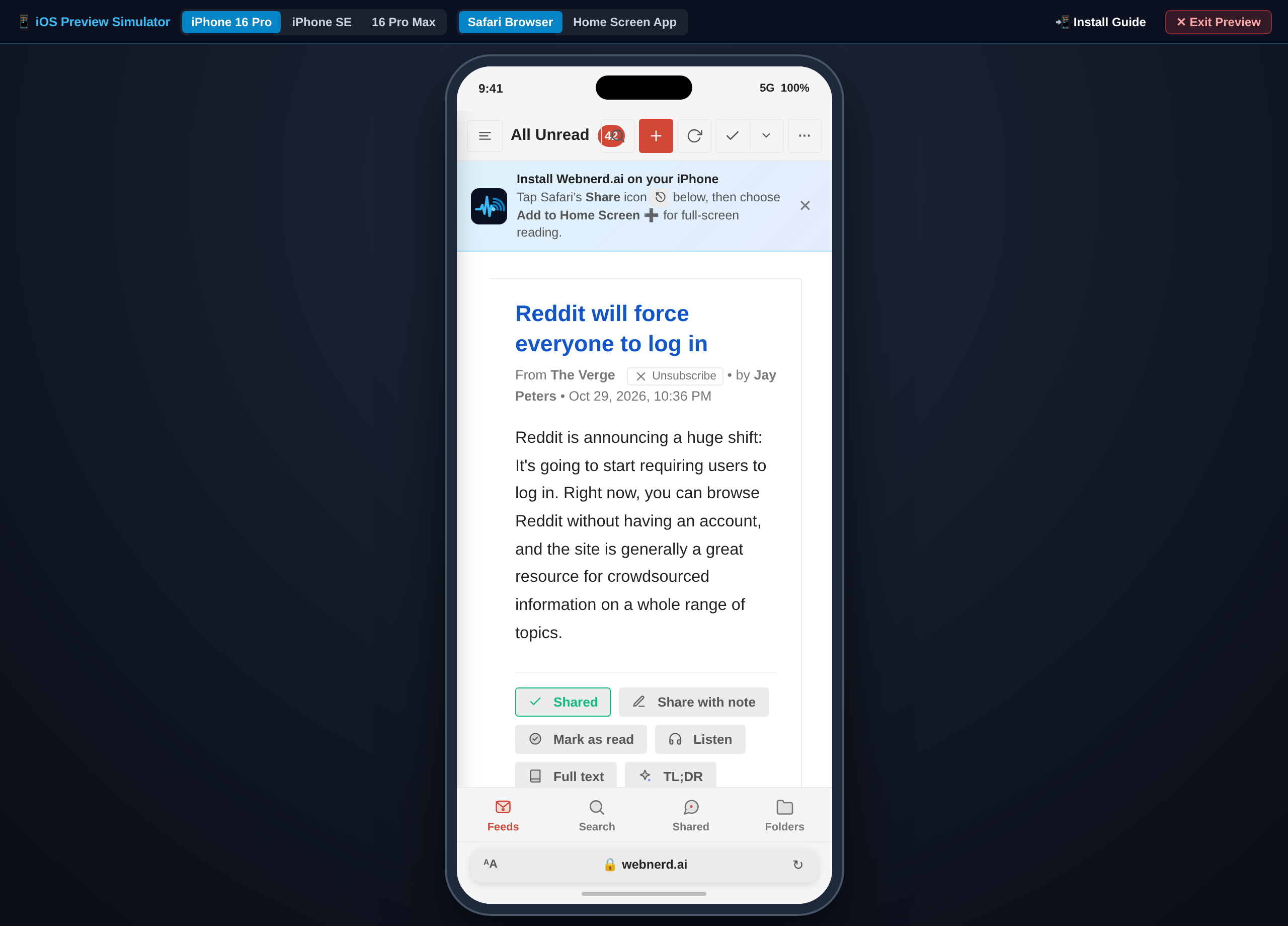
The redesigned four-tab mobile experience and full-screen iPhone web app.
Finally, you can't build an RSS reader and not publish your own changelog via RSS. Webnerd.ai now has an official Release Notes & Product Blog at webnerd.ai/releases, complete with a one-click + Follow in Webnerd.ai button and its own RSS feed at webnerd.ai/releases/rss.xml.
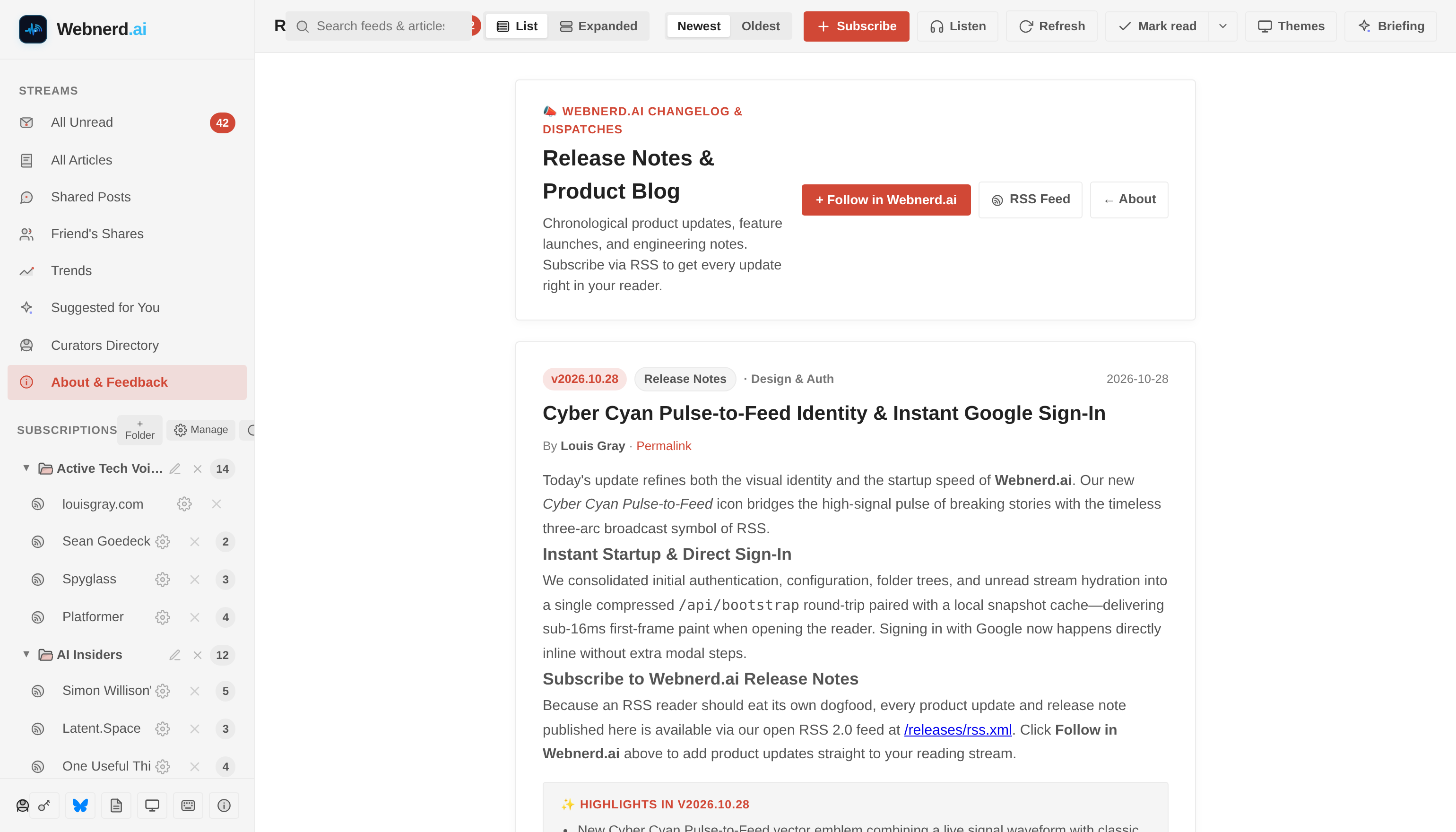
Eating our own dogfood: Webnerd.ai's product changelog lives at /releases with its own RSS feed.
If you tried Webnerd.ai over the weekend, or haven't yet, take the new audio player, newsletter inbox, or AT Protocol sync for a spin. If something bugs you or you have an idea for what an RSS reader in 2026 ought to do next, ping me on Bluesky — there's a pretty good chance Antigravity and I will have it shipped by the next weekend.