Silicon Valley Technology Commentary & Archives · Est. 2006 3,045 Posts · 2006–2026

April 20, 2011

April 20, 2011 · 2 MIN READ · BY LOUIS GRAY

Seesmic for Android Brings Shortcut Array for Fast Actions

Seesmic for Android Brings Shortcut Array for Fast Actions

One of the initial attractions for me to the Android platform was the flexibility of the home screens, which don't have to just feature applications in a monotonous 4 by 4 grid, but also the option to have widgets with live streaming content from social media and news sites and shortcuts to actions within applications. Social media powerhouse Seesmic is introducing an upgrade to its popular app today that fully leverages this capability - bringing all aspects of the product to the front of your device.

In version 1.7, released this morning, Seesmic introduces shortcuts to compose tweets and Facebook updates, shortcuts to saved searches on Twitter, shortcuts to Twitter lists, shortcuts to Facebook pages, and many more quick links to pieces of their system. The result is a practical launching pad for all things social from your Android home screen.


Adding Seesmic Shortcuts for All Accounts Is a Snap


I'd previously sung the praises of Seesmic for Android and Windows Phone 7 at the end of last month, and for the last month or so, I've eschewed the standard Twitter for Mac client in favor of Seesmic Desktop 2. Today's introductions show that Seesmic is doing more than just porting their iOS experience to Android, as some developers have, but embracing the OS and providing functionality users really want.


Adding Twitter Lists and Facebook Pages from Seesmic


Once you've upgraded to Seesmic 1.7 on Android, adding these shortcuts is really easy. Select the menu button on your device, hit Add, choose shortcuts and pick from the many options Seesmic has. The app will recognize what accounts you use, what lists you follow, what saved searches you keep and what Facebook pages you maintain. Repeat the process until you've got as many as you like. I managed to fill an entire screen just with my Seesmic.


Adding Twitter Searches and My Full Screen of Shortcuts


You can grab the latest update from http://seesmic.com/products/android or by searching for Seesmic on the Android Market, and don't miss their great YouTube intro of the new features, which go beyond just shortcuts to include improved spam reporting, translation and link handling, from Liza Sperling.

April 19, 2011

April 19, 2011 · 3 MIN READ · BY LOUIS GRAY

Physical Media Has To Go. I'm Digital Only From Here.

Physical Media Has To Go. I'm Digital Only From Here.

Moving across town last summer was a real eye opener in terms of seeing how tied we still are to physical things. Beyond all our sundry items needed to survive, there were boxes upon boxes of nice-looking and possibly interesting books and other media - DVDs, CDs, the occasional VHS tape nobody had bothered to toss. All of them took up room, and made for heavy lifting. But there's no real good reason, beyond nostalgia, to ever get any more. I want all my music, photos, videos and books to be electronic, and I want everything else gone - even if it looks great on the bookshelf. Same goes for my kids. Once they're done with their board books, I want them to get used to eReaders. By the time they reach school, textbooks should be relics of the past anyway.

Thirteen years ago, Apple did away with floppy drives on the iMac, ushering in a world where people did well enough to email items via attachment, or in later years, burn copies to compact discs. Ten years ago, I dumped my hundreds of cassette tapes in the garbage moving from one home to another on the Peninsula. Three years ago, I donated hundreds of my CDs to a coworker who liked the same music, and emptied my bookshelf to another friend who didn't mind dog-eared Stephen King and John Grisham novels. Even DVDs are too unwieldy at this point. For software installations, one installs once and the DVD is subsequently irrelevant. Purchasing DVD movies is completely silly in a world with significant storage space, and Blu-Ray never even entered my mind.

Now practically the only physical media I bump into is when a book author wants me to do a review, or when coffee table books are passed along as questionable gifts. Even USB flash drives are starting to feel like old media to me at this point.

In a world where I am constantly connected to some gadget, be it a phone, a tablet or a laptop, it takes serious will power to unplug and dust off an old tome whose number of uses is limited. The books I've been sent to review are piled in a corner on my desk - some probably good, but I might even buy the digital version rather than lug around a heavier three-dimensional copy. The stray Netflix DVD we have around the house just causes me to nag my wife into making our subscription digital only, and everything else I just want to give away in a massive garage sale - cheap!

The long-desired paperless office remains elusive, but for much of the home, it can be obtained. My music is streamed on Spotify, with some playlists and artists saved as digital files. My movies have a short shelf life, typically the 24 hours allotted by Apple TV before they disappear. And I've been reading all my books on the NOOKColor and on the Google Books app. There was a time when people would argue it was worth paying a premium for the physical copy of an item, but now it seems they should have to pay me for the inconvenience.

Being digital only means that exceptions to the rule can fall through the cracks. Bills delivered in the physical mail don't get paid as quickly. Notifications from the DMV can get missed, and late fees occur. It's a problem that hasn't been perfectly solved, and it could just be me making an excuse. But as I see it, if there's an option to go digital, that's my choice. With bandwidth and storage space being what they are, my infrastructure isn't optimized for yesterday's media delivery.
April 19, 2011 · 2 MIN READ · BY LOUIS GRAY

Kicklight Labs Debuts Tout: Life's Mini Video Moments

Kicklight Labs Debuts Tout: Life's Mini Video Moments

There's a new video platform in town, and for social media veterans who remember 12seconds.tv, it might make you think you're having flashbacks. But it's not 2008 all over again, and there's another service looking to capture life's moments with short video clips just over 10 seconds long. The new player is called Tout, looking to enable short conversations with video, with tight integration to social networks Twitter and Facebook and hashtags to help users find similar moments. Like all good social networks, you can follow your friends, but you can follow these tags as well. As more people discover and start recording their moments, you can track the world's updates, not in 140 characters of text, but with words, video and sound.

The service is the offspring of Kicktag, formerly known as Kicklight Labs, and the company's CEO, Michael Downing, was president at Kicktag, who raised $2 million at the end of 2010. Kicktag emerged from Bay Area think tank and research gold mine, SRI International. A few pivots later, we have Tout, and early users are tapping into the service to share brief moments from their life, be it reports from the Founders' Den in San Francisco, rocking out with friends, or casual home scenes involving pets.


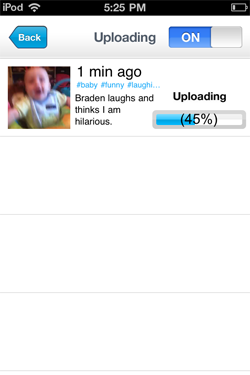
Posting from Tout via iPhone With Hashtags


You can get video on Tout in two ways. The most direct way is to download the Tout app, available on iOS now, with Android promised very soon, and record a short video, then post it to your stream, with appropriate hashtags. A second way, also interesting, is to find a YouTube video and select an excerpt of up to 15 seconds long to post to the site. In the latter case, the video is not actually transferred to Tout's servers, but remains on YouTube, starting and ending where you had specified.

My Tout Channel, Featuring My Kids

The social Web is no doubt gun shy over short video services with the demise of 12seconds and Seesmic's forced move out of the world of video before they became a social media update client. But with iPhones, iPod Touches and Android phones all having fast access to video recording these days, and social networking being even more pervasive, it's possible that Tout has a good chance to meet the intersection of these trends. Tout of course also makes a big deal of the ease of updating your Facebook and Twitter accounts with new Tout moments, as noted in their first pieces of coverage on The Huffington Post and StreamingMedia.com.

Unsurprisingly, my first Tout moments feature my kids, who are much cuter than I am, even in short clips. (See: Braden laughs and thinks I am hilarious. for one example) You can get started on Tout to add your own moments at http://www.tout.com.
April 19, 2011 · 2 MIN READ · BY LOUIS GRAY

Sonos Launches on Android, and Adds AirPlay to iOS

Sonos Launches on Android, and Adds AirPlay to iOS


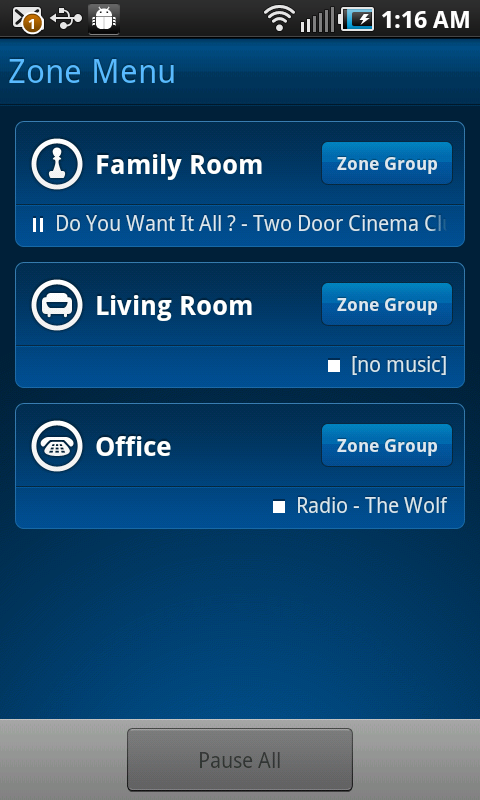
Sonos, the company behind the futuristic wireless digital audio players throughout my house, announced the introduction of their long-awaited Android application this morning, bringing multi-room music management to the fast-growing mobile platform. In addition, the company also expanded its iOS offerings by adding support for AirPlay to its iTunes equivalent, enabling Apple fans to send audio from any AirPlay enabled app to Sonos speakers, including YouTube.


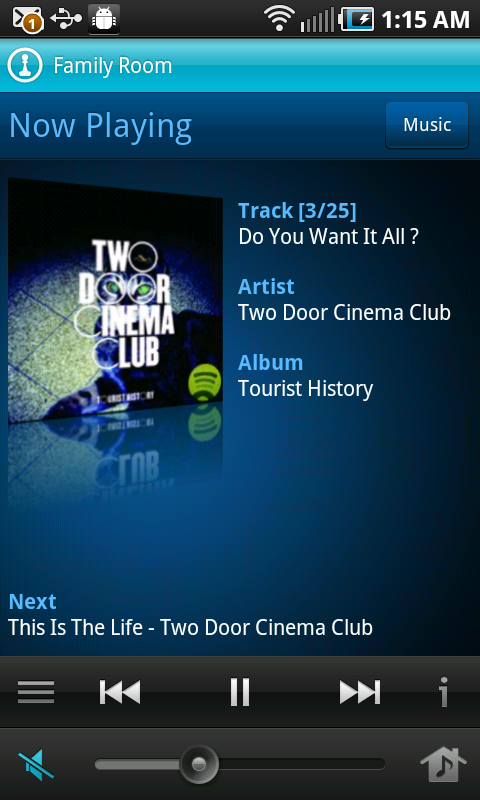
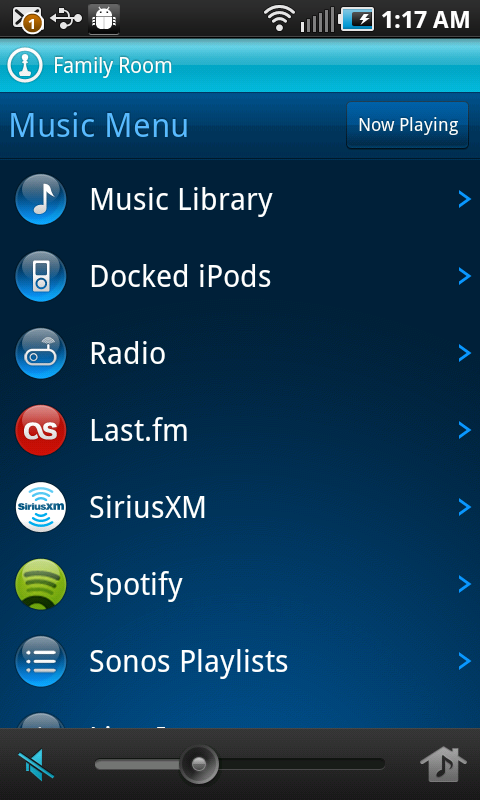
Playing a Song on Sonos and Flipping Through the Music Menu on Android


While it was no secret that Sonos had planned to launch on Android, having featured heavily in Google's Android booth at Mobile World Congress in Barcelona, the beta process for the Android app took a little longer than anticipated, thanks to some services' issues with buffering and ensuring a high quality experience over the expanding range of Android devices.


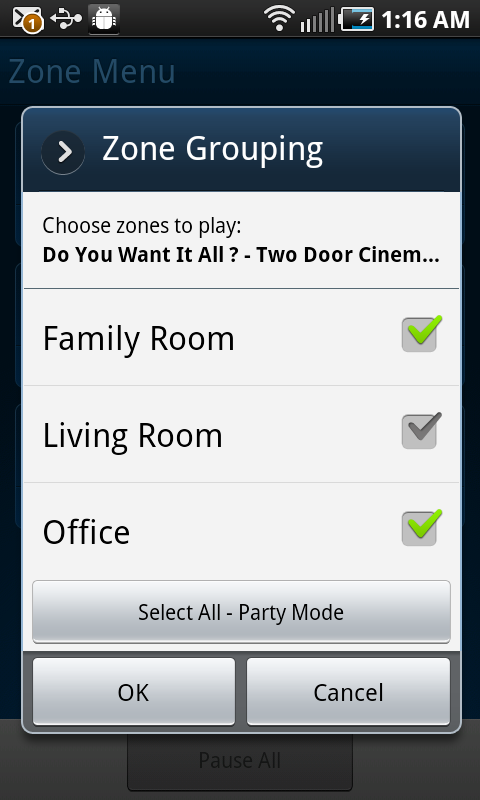
Grouping Zones on Sonos for Android


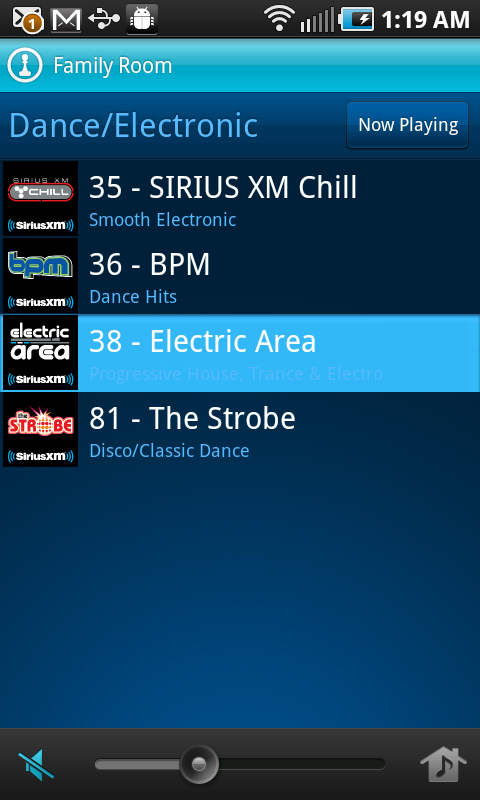
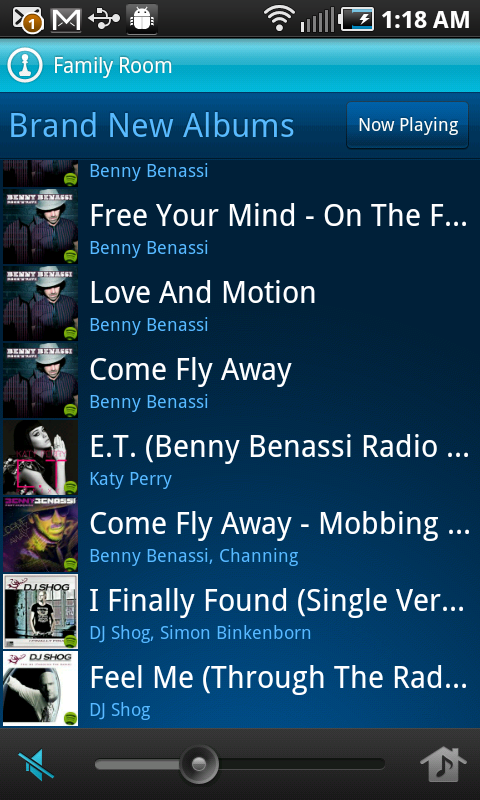
Since February, I have been using Sonos on my Android phone and Galaxy Tab to put all my favorite music on any room in the house whether it's just for me in the office, or in full Party Mode for guests throughout. As with its iOS equivalent, Sonos pulls from a wide array of musical sources, including Spotify, Last.fm, Sirius XM, Rdio and others. The sheer capability of demonstrating Spotify on Sonos, and showing people how I can get practically any song in the world, on demand, to any room in the house, has left people begging to have the capability themselves. Today's announcements brings that to even more tempted audiophiles.


Selecting a Song on Sirius XM or Spotify With Sonos


While I can't go as gaga as Robert Scoble over the future of AirPlay, sending audio from any playing music or video stream on the Web to Sonos speakers is another nifty trick. Imagine picking up a YouTube video, a streaming sports game, or simply an embedded MP3 on a Web site and kicking it out of your tinny laptop speakers, in exchange for full-featured Sonos. There's no reason you shouldn't always be using the best speakers in the house.

Android users can now go get, for the first time, the official Sonos build from the Android Market. iTunes users should watch for their devices to gain point upgrades later this morning.